.jpg "8 Minutes to Learn How to Use the iForce-DF Digital Force Gauge 1")
In industrial and scientific research, accurately measuring the magnitude of a force is of the utmost importance. A high-performance Digital Force Gauge Meter is essential to deliver credible test data, and the iForce-DF digital force gauge from Mikrosize is an outstanding force measurement instrument that has solved force measurement challenges for countless professionals. Today, I will walk you through how to operate this iForce-DF digital force gauge in detail.
Mikrosize has always been committed to providing high-quality, high-precision measuring instruments to customers around the world. The iForce-DF digital force gauge, a reliable Digital Force Gauge Mete solution for routine and complex force tests, is one of its many standout products, and it has earned wide recognition in the market for its accurate and reliable measurement performance.
The first thing you notice when you pick up the iForce-DF digital force gauge is its simple, well-designed appearance. The unit is lightweight and portable, making it easy to use in a variety of working environments. Before you start, make sure the gauge has batteries properly installed or is connected to a power source.
Once you turn the device on, the display lights up quickly and shows a clear interface. The current force reading appears on screen, and the units can be switched between newtons (N), kilogram-force (kgf), pound-force (lbf), and more, depending on your needs. Operation is very simple: just press the “UNIT” button on the side of the device. Each press cycles through the units in sequence until the one you need is displayed.
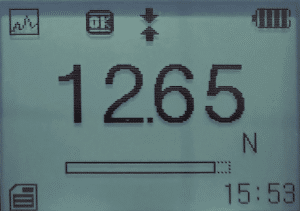
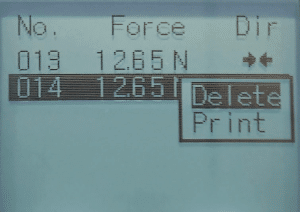
Measuring force is just as intuitive. To measure tensile force, simply connect the test object to the gauge’s hook with a suitable adapter, then apply the tension slowly. As the tensile force increases, the reading on the iForce-DF display updates in real time, accurately reflecting the force currently being applied. To measure compressive force, place the pressure head of the gauge steadily on the surface of the test object and apply the pressure gradually; the display will clearly show the compressive force reading as well.
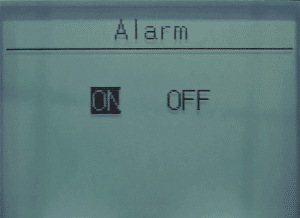
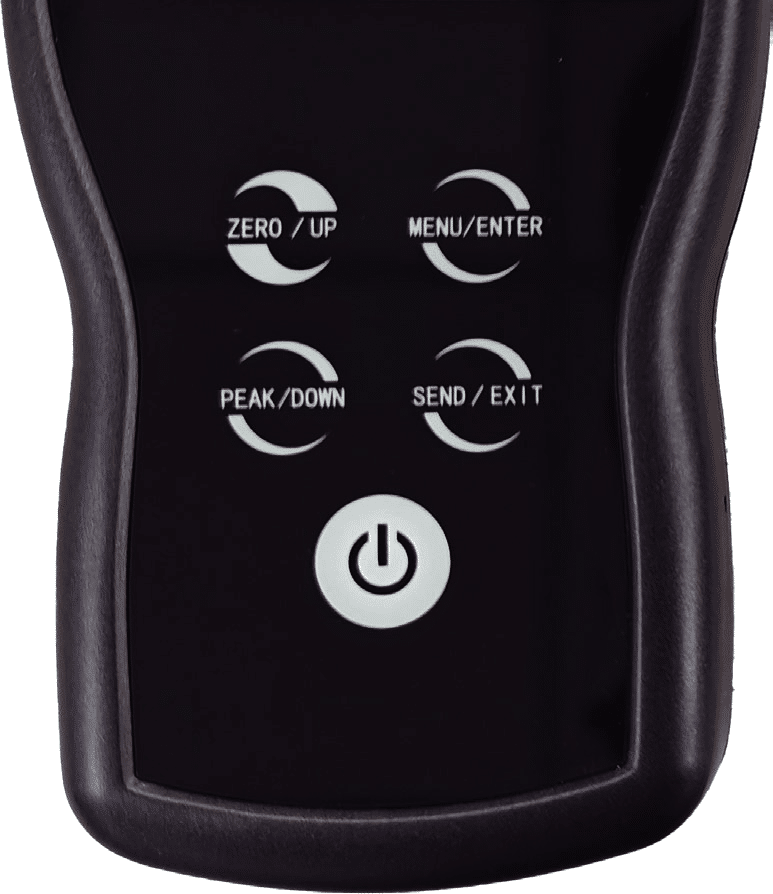
For more complex measurement scenarios, you may need to configure special parameters. The iForce-DF digital force gauge covers this with a rich set of functions. Press the “SET” button to enter the settings menu, where you can set options such as peak hold, auto-zero, and alarm thresholds.
For example, if you need to measure the instantaneous maximum force, turn on peak hold, and the gauge will automatically record the maximum force reached during the test for you to view and analyze later. The auto-zero function ensures the reading is zeroed before each measurement, eliminating errors caused by zero drift.You can also turn on the over-limit buzzer alarm function to set alarm thresholds for your tests.
.jpg "8 Minutes to Learn How to Use the iForce-DF Digital Force Gauge 5")
In addition, Mikrosize provides comprehensive after-sales support for the iForce-DF digital force gauge. If you run into any problems during operation—whether you have a question about a device function or the device is malfunctioning—you can contact our professional technical support team at any time, and we will promptly provide a solution.
With its thoughtful design, simple operation, and reliable performance, the iForce-DF digital force gauge has become a trusted assistant in force measurement work. Once you know how to operate it, you will be able to use this product more effectively, bringing greater convenience and more accurate measurement results to your work.

-150x150.jpg)