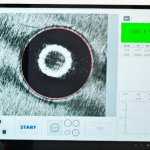
-768x601.png "How to Operate a Video Microscope: A Step-by-Step Guide to Real-Time HD Inspection & Big-Screen Operation 1")
In fields like electronics manufacturing, precision engineering, and industrial quality control, traditional optical microscopes not only cause operator eye strain but also limit team collaboration and real-time dynamic observation. As a game-changer for modern inspection, the Digital Video Microscope—with its high-frame-rate real-time imaging and intuitively large-screen display—is replacing conventional gear to become the standard tool for enhancing inspection efficiency and manufacturing quality. This article delivers a practical video microscope operation and application guide, featuring the high-performing Mikrosize Digital Video Microscope to show you how to master high-precision real-time microscopic inspection directly on screen.
1.Setup & Hardware Connections
The defining feature of a video microscope is its plug-and-play live display functionality:
Secure Video Interface Connection: Connect high-speed HDMI or SDI video cables directly to a dedicated industrial monitor. For scenarios requiring high fluid movement, a high-frame-rate direct connection completely eliminates motion blur.
Optical Component Cleaning: Wipe the zoom lens and working stage with a lint-free cloth and cleaner to ensure no dust interferes with high-resolution video imaging.
Display Presets Adjustment: Turn on the display monitor and tweak resolution and contrast settings to guarantee color accuracy for the live video output.
Product Highlight: The Mikrosize Digital Video Microscope excels in video transmission performance. Equipped with a built-in HD industrial video camera, it delivers lag-free video output up to 60fps directly to a monitor without requiring a PC, drastically simplifying shop-floor inspection workflows.
2. Smart Illumination & Real-Time Continuous Zoom Focus
Unlike standard digital microscopes, video microscopes are frequently used for hands-on micro-manipulation (such as PCB rework or micro-part deburring) while watching the screen:
Shadowless LED Anti-Glare Illumination: Adjust the multi-channel shadowless ring light according to sample reflectivity (e.g., shiny metal surfaces or enamel wires) to eliminate harsh glare and overexposure.
Continuous Zoom & Depth of Field Control: Align the sample using coarse and fine adjustments, then smoothly adjust magnifications using the continuous zoom lens without losing your working distance.
Large Depth of Field Micro-Manipulation: The Mikrosize Digital Video Microscope incorporates a large depth-of-field optical system, maintaining crisp focus across a wider depth range even at high magnifications, enabling operators to handle delicate soldering and assembly with ease directly from the monitor.
-300x291.jpg "How to Operate a Video Microscope: A Step-by-Step Guide to Real-Time HD Inspection & Big-Screen Operation 2")
-283x300.jpg "How to Operate a Video Microscope: A Step-by-Step Guide to Real-Time HD Inspection & Big-Screen Operation 3")
-300x292.jpg "How to Operate a Video Microscope: A Step-by-Step Guide to Real-Time HD Inspection & Big-Screen Operation 4")
-225x300.jpg "How to Operate a Video Microscope: A Step-by-Step Guide to Real-Time HD Inspection & Big-Screen Operation 5")
-300x205.jpg "How to Operate a Video Microscope: A Step-by-Step Guide to Real-Time HD Inspection & Big-Screen Operation 6")
3. Dynamic Video Capture, On-Screen Measurement & Data Archiving
A video microscope is built for both clear viewing and swift data logging:
Dynamic Video Recording & HD Snapshots: Capture high-definition microscopic snapshots or record live inspection video clips using buttons on the unit or a remote control without interrupting live work—ideal for quality reporting and client demonstrations.
PC-Free Real-Time Measurement: Modern video microscopes come with built-in measurement software. Without a PC, users can plug in a mouse to perform real-time line measurement, angle calculation, and radius annotation directly on screen.
3D Observation & Advanced Analysis: For 3D surface topography tasks, pairing with a video microscope that supports 3D viewing, such as Mikrosize, allows operators to inspect sidewalls and depth profiles from multiple angles for richer quality control data.
4. Frequently Asked Questions & Troubleshooting
Q1: What should I do if there is screen lag or motion blur during real-time operation?
A: This is usually related to bandwidth or refresh rate. First, verify that you are using a high-bandwidth HDMI video cable. Second, check the camera output settings to ensure it is configured to 60fps mode for a smooth, lag-free real-time video feed.
Q2: How can I fix severe screen glare and loss of detail when inspecting reflective samples?
A: Avoid harsh direct lighting. We recommend switching to polarized illumination to eliminate reflections, or adjusting the segmented LED ring light to illuminate from specific angles and reveal surface micro-details.
Q3: What if the monitor shows a black screen or “No Signal”?
A: Perform a quick check by inspecting cable connections for any loose interfaces. Then, ensure the monitor’s input source setting is manually set to the correct video channel (e.g., HDMI 1 / HDMI 2).
5.Conclusion: Upgrading to an exceptional video microscope not only relieves operator eye fatigue but also multiplies efficiency across QC lines and research labs. With its smooth video feed, large depth of field optics, and user-friendly operation, the Mikrosize Video Microscope stands out as your ideal choice for upgrading microscopic inspection capabilities.

-150x150.jpg)