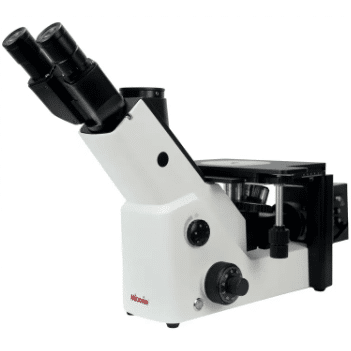
Hello everyone! Today we’re walking through the full operating workflow for the iMetal-1000B inverted metallurgical microscope. Built by Mikrosize, this premium unit is one of our most reliable pieces of lab hardware. Mikrosize has earned solid industry recognition for well-built microscopy gear with precise craftsmanship — and the iMetal-1000B metallurgical microscope lives up to that reputation.
First off, when you unbox your iMetal-1000B inverted microscope, always set the unit on a stable, level workbench. Proper placement is critical for sharp, consistent viewing results. Though this model comes with a heavy-duty stable base, correct positioning still matters for daily lab use.
Next, power on your device. Locate the clearly labelled power switch, usually found on the side or rear panel. Once powered up, the built-in illumination system will turn on. The adjustable illumination system for metallurgical observation lets you tweak brightness to match your specimen. Use the dedicated brightness adjustment knob to control light intensity. This feature is extremely handy: different material specimens require different light levels to bring out tiny micro-level details.
Now let’s cover sample setup. Place your prepared specimen onto the mechanical stage. The iMetal-1000B mechanical stage features smooth, precise motion controls to position your sample exactly where you need it. Use the X-axis and Y-axis stage movement knobs; these allow you to scan across your specimen surface with high accuracy.
After sample positioning, pick a suitable objective lens. The iMetal-1000B objective lens set includes multiple lenses with varying magnification rates. Switch objectives by rotating the revolving nosepiece. Turn it gently until your chosen lens clicks into locked position.
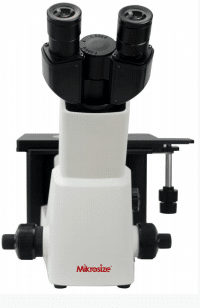
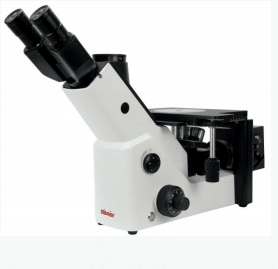
Pro tip for new users: always start observation with the lowest-power objective, such as the 4× objective lens. A low-magnification lens delivers a wide field of view, making it much easier to locate your target region on the sample.
Once your objective is locked in, it is time to focus. This unit has two focus controls: coarse focusing knob and fine focusing knob. Start with the coarse focusing knob for rough focus adjustment. Move the stage slowly! Rushing can cause the objective lens to crash into your specimen and cause hardware damage.
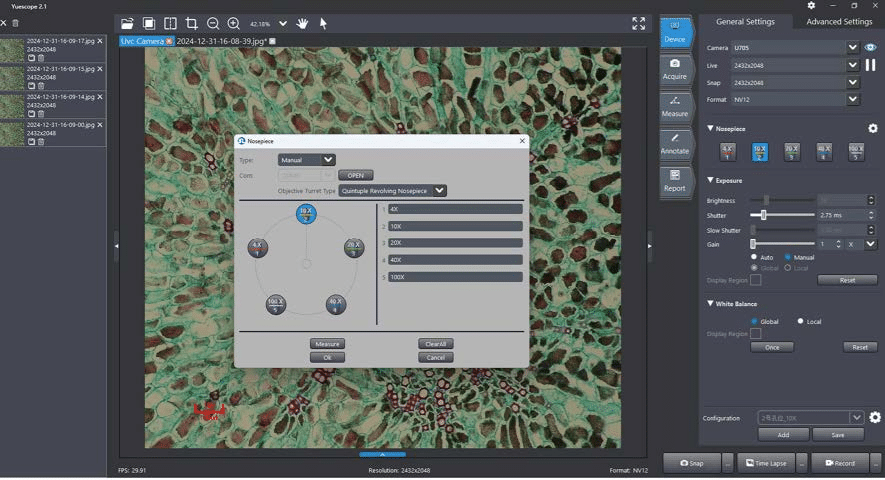
Once you get a rough visible image, switch over to the fine focusing knob. This will deliver crisp, sharp sample images. The smooth, high-precision focusing mechanism on the Mikrosize iMetal-1000B helps you capture great-quality micrographs with minimal effort.
If you want to capture photos or run material measurement tasks, connect your inverted metallurgical microscope for material analysis to a PC or external imaging hardware. Mikrosize’s bundled microscopy software works seamlessly with this hardware. With this software, you can capture high-resolution micro-images and run a wide range of specimen measurements: common use cases include grain size measurement and crack width testing under microscope.
To wrap things up: the Mikrosize iMetal-1000B operation guide is straightforward. Thanks to well-thought-out controls, advanced optical features and robust build quality, this is a great piece of equipment for both professional material scientists and hobby-level microscopy enthusiasts.
Whether you need to analyze metal microstructure analysis with inverted metallurgical microscope, study heat-treatment effects on alloys, or simply explore the micro-world of material samples, the iMetal-1000B will fit your lab requirements perfectly.
-150x150.jpg)