
This document describes the general operating procedure for the UTM-TSC Automatic Load–Displacement Curve Tester.
In materials testing, accurate data is of the utmost importance. This section introduces the UTM-TSC Automatic Load–Displacement Curve Tester from Mikrosize. Combining advanced technology with excellent performance, it offers a reliable testing solution for researchers and engineers.
The tester is straightforward to operate. Simply follow the steps below to get started.
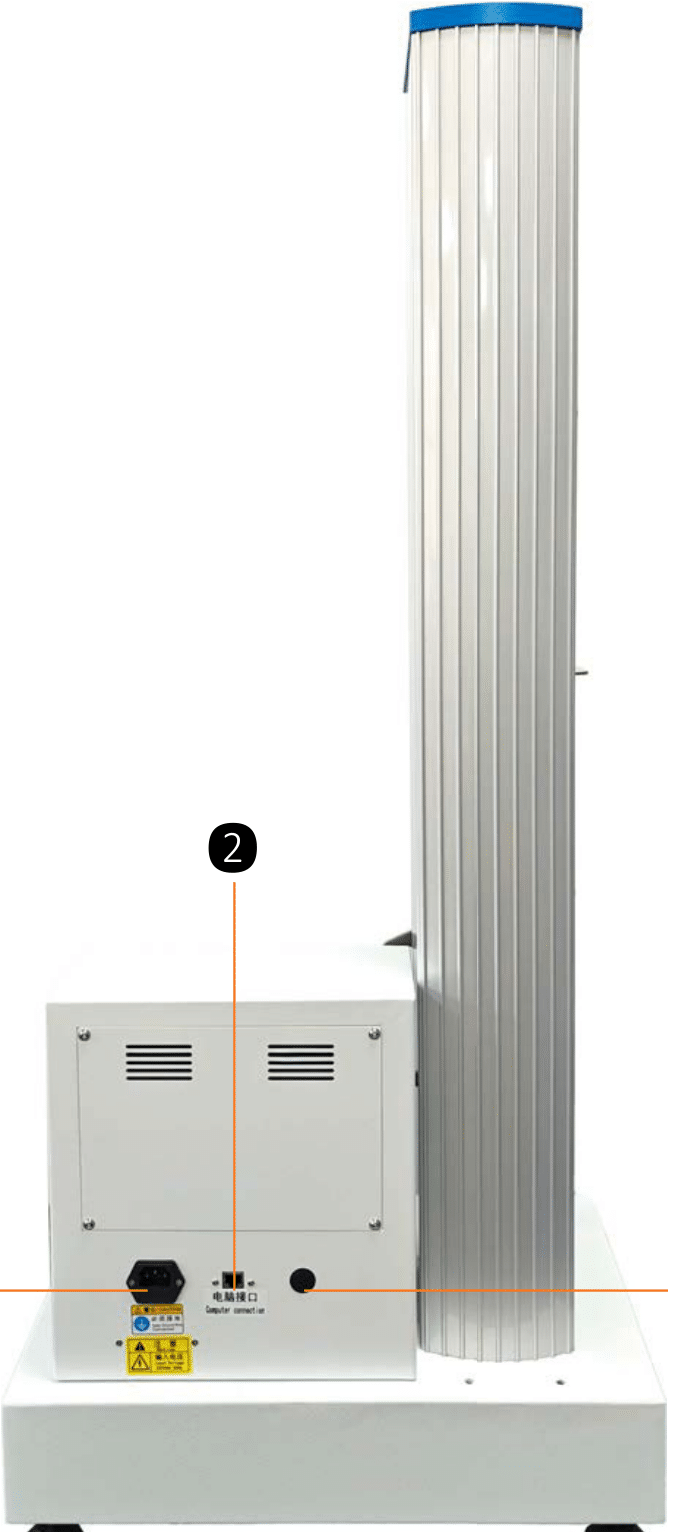
- Step 1 – Check the connections. Before switching on the instrument, make sure that all cables are connected correctly. Incorrect connections may cause the instrument to malfunction or may even damage it.
- Step 2 – Power on. Once everything is ready, turn on the instrument. The display will light up and show the startup screen designed by Mikrosize. After a short wait, the instrument completes its self-test routine, during which it automatically checks each component to confirm that all are in proper working order.
- Step 3 – Mount the specimen. Mount the specimen correctly in the fixture of the tester, making sure that it is held securely and will not slip or come loose during the test. Improper mounting will significantly reduce the accuracy of the test data.

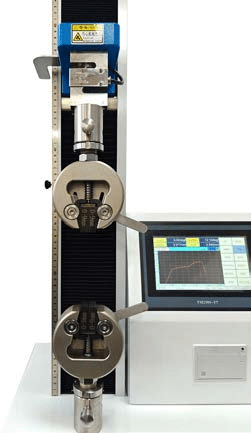
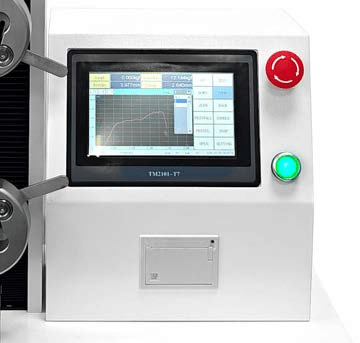
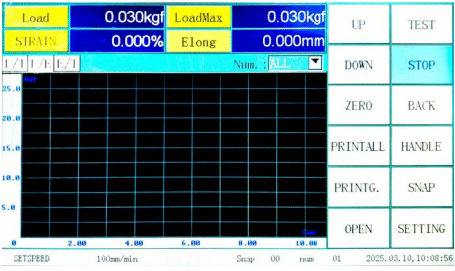
- Step 4 – Set the test parameters. The control interface is intuitive and clearly laid out, so even first-time users can easily locate the settings they need. Set the key parameters, such as loading rate and displacement range, according to the test requirements. For example, when testing the displacement behavior of a given metal under different loads, set these parameters appropriately for the material and the applicable test standard.
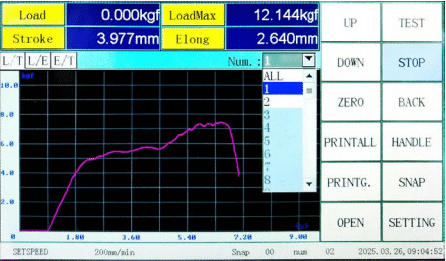
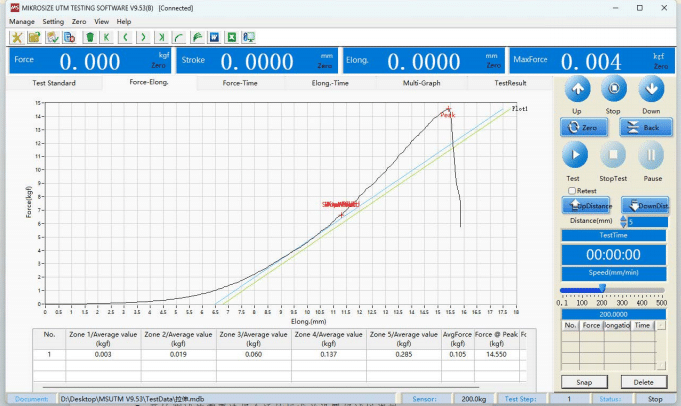
- Step 5 – Start the test. Click “Start Test” and the instrument begins to run. During the test, the test data can be monitored in real time on the display, and the load–displacement curve is plotted as the test proceeds. Every data point reflects the mechanical behavior of the material.
- Step 6 – Review the results. When the test is complete, the instrument stops automatically and saves the test data. The built-in data-processing software can then be used to analyze the data further and generate a detailed test report. The software supplied with this tester by Mikrosize is powerful and meets a wide range of complex data-processing requirements.
Summary. The UTM-TSC Automatic Load–Displacement Curve Tester is a high-performance, easy-to-operate materials testing instrument. It provides strong support for materials research and engineering applications. Following the steps above will help you make the most of the instrument and obtain accurate and reliable test data.